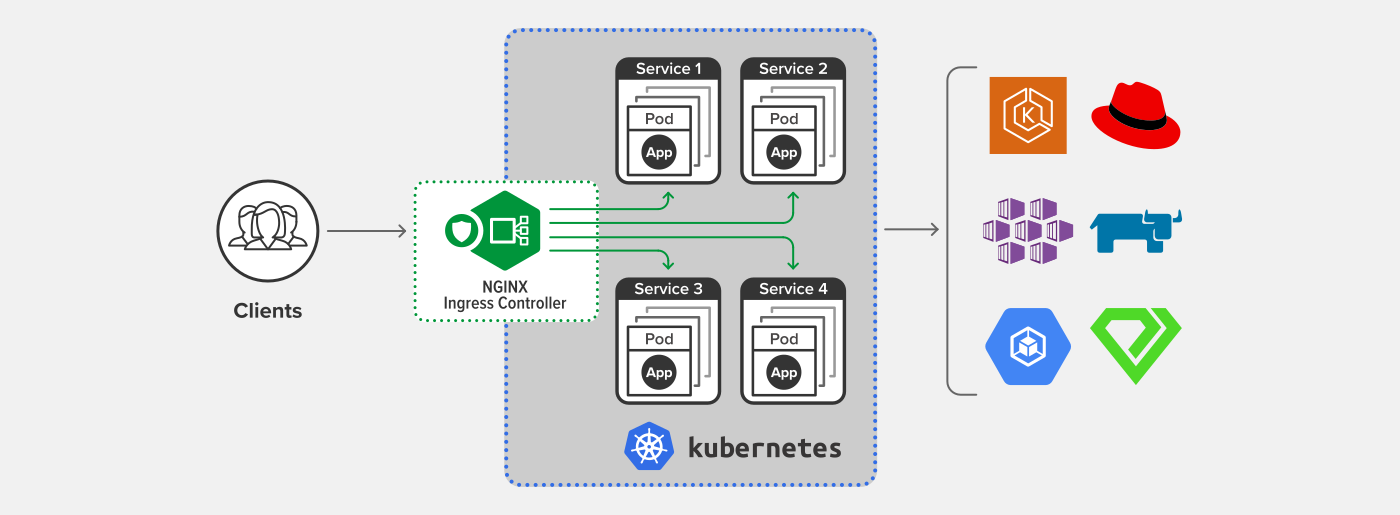
Ingress-Nginx is commonly used in Kubernetes to provide reverse proxy and load balancing for HTTP/HTTPS services. In some cases, you may need to expose other TCP/UDP services using the same IP address. This article will explain how to use Ingress-Nginx as a proxy for TCP/UDP services in such scenarios.
Via
In most cases, Ingress-Nginx is used solely for HTTP/HTTPS reverse proxy and load balancing. However, when setting up services like GitLab or Gitea, you’ll also need to provide the SSH port for Git connectivity, in addition to HTTP/HTTPS. Due to DNS limitations—only allowing two different ports to share the same IP—Ingress-Nginx must be used to proxy TCP services in these cases.
Configuration
Ingress does not natively support TCP/UDP services, so the Ingress controller must use --tcp-services-configmap 跟 --udp-services-configmap pointing to an existing ConfigMap, which will contain the configuration for the services to be proxied.
Here is a ConfigMap example for exposing a service via port 22:
apiVersion: v1
kind: ConfigMap
metadata:
  name: tcp-services
  namespace: ingress-nginx
data:
  22: “<namespace>/<service>:22"
Ingress-Nginx must also publicly expose the corresponding port
apiVersion: v1
kind: Service
metadata:
  name: ingress-nginx
  namespace: ingress-nginx
  labels:
    app.kubernetes.io/name: ingress-nginx
    app.kubernetes.io/part-of: ingress-nginx
spec:
  type: LoadBalancer
  ports:
    - name: http
      port: 80
      targetPort: 80
      protocol: TCP
    - name: https
      port: 443
      targetPort: 443
      protocol: TCP
    - name: proxied-tcp-22
      port: 22
      targetPort: 22
      protocol: TCP
  selector:
    app.kubernetes.io/name: ingress-nginx
    app.kubernetes.io/part-of: ingress-nginx
and include it in the Ingress controller's startup arguments --tcp-services-configmap
    spec:
      containers:
      - args:
...
        - --tcp-services-configmap=ingress-nginx/tcp-services
After completing these configurations, you can publicly expose TCP services via Ingress-Nginx, and UDP works using a similar method.
Reference
Copyright Notice: All articles in this blog are licensed under CC BY-NC-SA 4.0 unless otherwise stated.